Best UV DTF Printer: Models, Costs, and How to Choose for a Print Shop
A printer can finish a sheet quickly while the order still waits for lamination, sorting, or replacement pieces. The best UV DTF printer is the one that completes the required order at acceptable quality, with labor and costs the shop can sustain.
This UV DTF printer buying guide starts with the workload, then compares Xinflying configurations, a dedicated Mimaki printer, and a supported Roland flatbed. The recommendations are based on configuration fit, not a claim that these machines have beaten one another in matched production tests.
Start with the Orders, Then Shortlist the Equipment
Begin with a typical order and the most demanding recurring order. Record artwork dimensions, quantities, target products, deadlines, and whether the business sells loose transfers or finished decorated goods. These details establish the required print width and workflow.
For standard stickers and cup graphics, we would compare the XF-450S-3 and XF-600-3I32U1 first. For reflective metallic designs, consider the XF-420ST and XF-600ST instead: a gold-colored CMYK print does not create the same foil effect.
| Xinflying configuration | Width and printheads | Reason to shortlist it |
|---|---|---|
| XF-450S-3 standard sticker printer | 12-inch class; 30 cm printing width; 3 × Epson i1600-U1 | Narrower standard artwork and smaller layouts; confirm the lamination arrangement in the quotation |
| XF-600-3I32U1 standard sticker printer | 24-inch class; 600 mm media width; 3 × Epson i3200-U1 | Larger layouts and recurring gang sheets; automatic lamination can reduce handling between stages |
| XF-420ST foil printer | 16.5 in / 42 cm printing width; 4 × Epson i1600-U1 | All-in-one foil capability for metallic labels within this width |
| XF-600ST foil printer | 24 in printing width; 4 × Epson i3200-U1 | All-in-one foil capability for wider artwork or larger batch layouts |
For standard transfers, shortlist the XF-450S-3 when the largest recurring design fits, and the XF-600-3I32U1 when more width is needed or batches benefit from automatic lamination. Confirm the latter’s usable printing width: its 600 mm specification describes media width.
For foil work, the first decision is whether customers actually want a reflective metallic effect. A gold-colored CMYK print creates a different appearance. If metallic labels are part of the regular product range, compare the XF-420ST with the XF-600ST according to artwork fit and completed batch output. Extra foil capability earns its place when it serves the intended products.
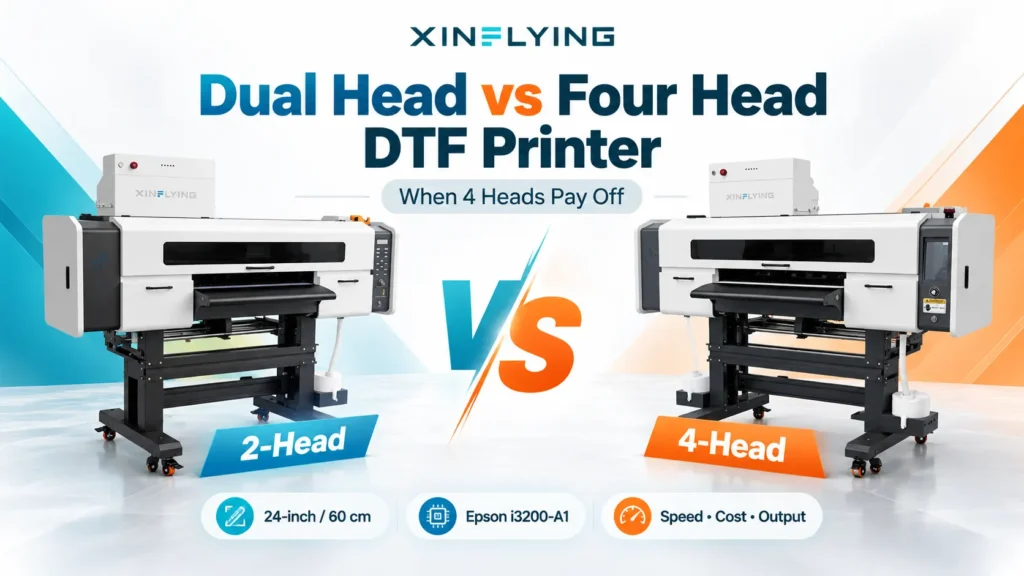
Printhead count differs from ink-channel count. The Epson model names identify the hardware configuration; assess its value through the resulting color, white coverage, clear finish, and performance on representative orders.
If direct-object printing makes up a substantial share of the workload, also consider a UV flatbed with a manufacturer-supported transfer setup. The comparison below explains where that flexibility can be useful.
For a business with occasional orders, buying finished transfers can be a sensible starting point. Ownership brings control over scheduling and production, alongside responsibility for software, maintenance, materials, and troubleshooting. We would buy when that control solves a recurring business problem and the workload supports the ongoing commitment.
Dedicated UV DTF Printer or UV Flatbed with Transfer Capability?
Standard UV DTF printing produces a design on compatible transfer film using UV-curable inks, typically CMYK color, white ink, and clear varnish. The transfer is then applied to a suitable surface. It is commonly used for decorating cup exteriors, bottles, phone cases, packaging, and promotional goods. Standard hard-surface transfers normally use pressure application without a heat press. Lamination requirements still depend on the equipment and film combination, and specialized transfer effects can follow different instructions.
A dedicated roll-fed printer organizes production around transfer film. Some configurations combine printing and lamination, which can reduce separate handling between those stages. Standard transfers generally avoid the vinyl-style weeding of unwanted material around each design. However, separating gang sheets into individual transfers, sorting orders, and applying the designs remain part of the workflow. Integrated lamination alone does not establish whether the rollers are heated or unheated; that detail belongs to the selected equipment and film instructions.
UV DTF Printer Comparison: Xinflying, Mimaki, and Roland
These options suit different production patterns. We would compare the dedicated transfer machines when most of the workload is gang sheets, and include the Roland BD-12 when direct printing onto objects is also an important service.
| Option | Production format and size | Software and materials | The practical buying question |
|---|---|---|---|
| Xinflying XF-450S-3 | Dedicated roll-fed transfer printing; 12-inch class, specified printing width 30 cm | RIIN or PrintFactory; supported UV inks and A/B film | Does the largest artwork fit, and does the quoted printing-and-lamination package finish normal batches comfortably? |
| Xinflying XF-600-3I32U1 | Dedicated roll-fed transfer printing with automatic lamination; 600 mm media width | RIIN as standard; supported UV inks and A/B film | Do larger layouts and reduced handling between printing and lamination improve complete-order time? |
| Mimaki UJV300DTF-75 | Dedicated roll-fed UV DTF; maximum media width 650 mm; establish usable print width for the supplied configuration | RasterLink7 and SimpleCreate listed in US specifications; ELS-170 color ink and ELH-100 white/clear ink | How do film loading, application-sheet handling, and repeated gang sheets fit the operator’s routine? |
| Roland VersaSTUDIO BD-12 with supported UV DTF materials | Desktop flatbed for direct printing and transfer sheets; specified maximum print area 305 × 210 mm, about 12 × 8.3 in | VersaWorks 7; EUV5 ink and Roland’s supported print sheets and transfer film | Is direct-object flexibility worth the sheet loading and job changes in the shop’s actual mix of work? |
Mimaki’s configuration and material details are documented in its US specifications. Roland documents the BD-12’s print area and included software on its BD Series product page, alongside the supported combinations in its UV DTF Transfer System.
A 12-inch-class roll printer and a flatbed with a roughly 12-inch-long print area can look similar in a headline specification. Their capacity is organized differently: the roll-fed printer arranges work along the film, while the flatbed processes a finite sheet area at a time. That difference becomes important when the workload is repeated gang sheets, and less decisive when a shop benefits from alternating transfers with direct-object jobs.
Mimaki’s specialized film rollers and liner take-up, and Xinflying’s automatically laminated configuration, are workflow features to examine with actual orders. For Roland, include sheet loading, job changes, and transfer preparation in the demonstration. Those steps determine how useful direct-object flexibility is in a mixed workload; width and software specifications alone cannot establish which setup is more efficient.
Roland’s printer, print sheets, and transfer film are sold separately, so include all required components in the package comparison.
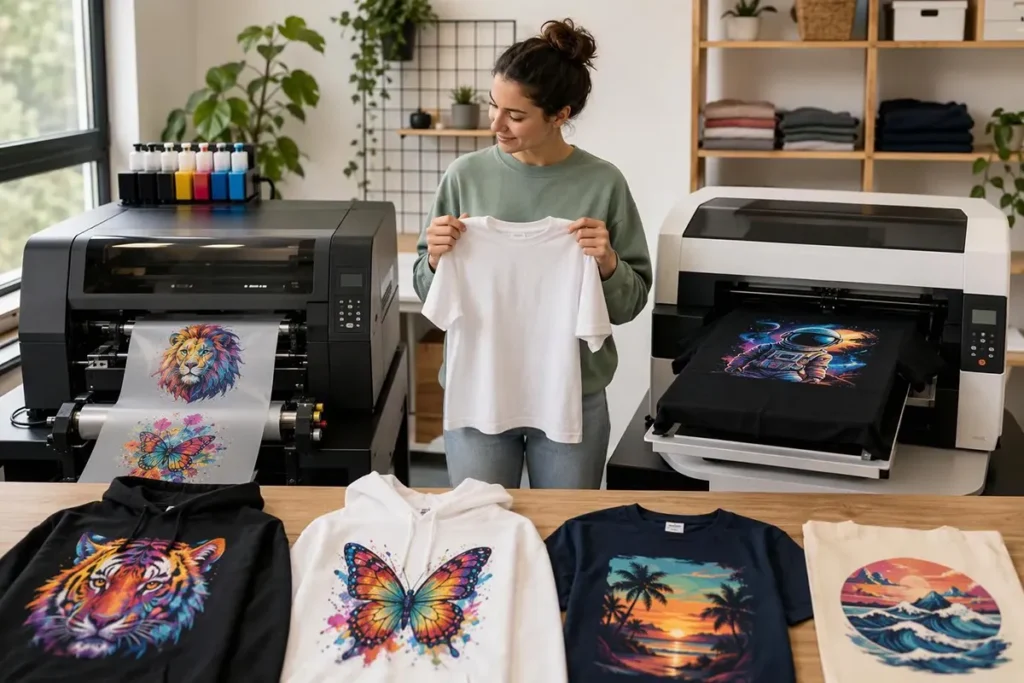
Also keep standard hard-surface UV DTF separate from textile DTF when planning production. A standard cup-transfer setup should not be assumed suitable for T-shirts. If apparel is the main product, evaluate the appropriate textile process and its matching materials.
Match Print Width to Artwork and Batch Layouts
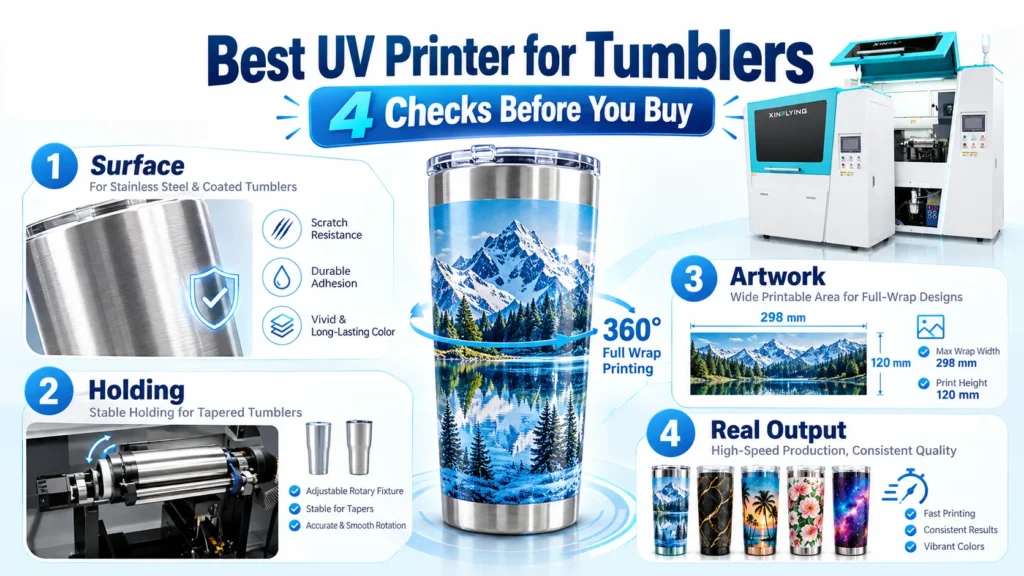
A small business does not automatically need the smallest printer. Choose width first by checking whether the largest design fits with the required margins. For tumblers, measure the intended artwork on the actual blank, including its shape and taper.
Next, arrange a typical batch within each machine’s usable printing area. A wider printer may fit more designs in a row or allow a larger wrap without splitting the artwork. That advantage can be substantial for repeated orders, but capacity may go unused when small personalized batches leave little compatible work to fill the extra width or the operator spends most of the day preparing files and handling products.
Finally, distinguish media width, usable printing width, and machine footprint. Leave room for loading rolls, retrieving output, working at the finishing table, and reaching maintenance areas. A printer that fits through the doorway still needs enough space for a workable production routine.
When Saving Film Adds More Labor
Packing unrelated designs tightly can save A/B film while making the sheet harder to cut, sort, and check. Compare that layout with one that keeps each customer’s order together, then include handling time and errors in the cost. The lower-cost layout depends on the actual product and order mix.
Consider a hypothetical order of 100 acceptable transfers. Both layouts produce the same designs at the same required quality. Assume hands-on labor costs $30 per hour, including the time spent preparing, handling, sorting, and checking the batch:
| Cost for the same completed order | Tightly packed layout | Layout grouped by customer |
|---|---|---|
| A/B film consumed, including offcuts | $6.00 | $8.00 |
| Hands-on order labor | 30 minutes / $15.00 | 20 minutes / $10.00 |
| Ink and cleaning materials consumed | $5.00 | $5.00 |
| Allocated equipment and maintenance cost | $2.00 | $2.00 |
| Total for 100 acceptable transfers | $28.00 | $25.00 |
| Cost per acceptable transfer | $0.28 | $0.25 |
Width determines artwork fit; head count alone does not establish production capacity. Printhead count also differs from ink-channel count, so compare these configurations through acceptable output rather than assuming more heads guarantee better results.
Don’t pay for foil capability when the product range only needs standard transfers. Likewise, occasional orders may be better served by buying finished transfers until in-house scheduling or recurring demand justifies equipment ownership and maintenance.
UV DTF Printer Comparison: Roll-Fed Equipment or a Flatbed?
Standard UV DTF produces designs on compatible transfer film with UV-curable color, white, and clear inks. The transfer is applied to a suitable hard surface, such as a bottle exterior or phone case, normally using pressure rather than a heat press. It is a different process from textile DTF for apparel.
Dedicated roll-fed equipment organizes work along the film. A flatbed processes a finite sheet area but can offer direct-object printing alongside supported transfers, which matters when both services form a substantial part of the workload.
| Equipment | Format and size | Software and materials |
|---|---|---|
| Xinflying XF-450S-3 | Dedicated roll-fed; 12-inch class, 30 cm printing width; confirm the quoted lamination arrangement | RIIN or PrintFactory; supported UV ink and A/B film |
| Xinflying XF-600-3I32U1 | Dedicated roll-fed with automatic lamination; 24-inch class, 600 mm media width; confirm usable printing width | RIIN standard; supported UV ink and A/B film |
| Mimaki UJV300DTF-75 | Dedicated roll-fed; maximum media width 650 mm, maximum printing width 620 mm / about 24.4 in | RasterLink7 and SimpleCreate; ELS-170 color ink, ELH-100 white/clear |
| Roland VersaSTUDIO BD-12 with supported transfer materials | Desktop flatbed; maximum print area 305 × 210 mm / about 12 × 8.3 in | VersaWorks 7; EUV5 ink, supported print sheets and transfer film |
The software package affects file preparation and training; matching inks and media establishes the supported transfer process. Mimaki’s US specifications document its configuration, while Roland’s BD Series page and UV DTF Transfer System identify its supported equipment and materials.
Which Printer Fits the Workload?
For narrower standard transfers, start with the XF-450S-3. It is a candidate when recurring artwork, including margins, fits its 30 cm printing width; rule it out when that artwork cannot fit, regardless of how small the shop is.
For wider gang sheets, compare the XF-600-3I32U1 with the Mimaki UJV300DTF-75. The Xinflying configuration includes automatic lamination, making it worth evaluating when moving film between printing and finishing consumes operator time. Its usable printing width still needs confirmation before approving the batch layout.
Mimaki specifies a 620 mm maximum printing width, making it a candidate for layouts beyond the XF-600-3I32U1’s 600 mm media limit. RasterLink7 and SimpleCreate also matter if the operating team already uses or prefers that workflow. When the orders fit narrower equipment, extra width alone does not justify the purchase.
Shortlist the Roland BD-12 when direct-object printing and sheet-based transfers are both regular services. Its 305 × 210 mm print area sets the transfer-layout boundary, so repeated wider gang sheets favor evaluating roll-fed equipment first. Include sheet loading, job changes, and the separately sold printer, print sheets, and transfer film when judging its flexibility.
For dedicated printers, examine film loading, liner handling, and lamination during the demo. Integrated lamination does not automatically mean heated rollers, and standard transfers generally avoid vinyl-style weeding while still requiring separation, sorting, and application.
Choose Width by Artwork and Layout, Not Shop Size
A small shop can need a wide printer when a recurring design won’t fit a narrower one. Check the largest artwork with margins, then arrange a normal batch inside each printer’s usable area. Wider equipment earns its place when larger designs or additional designs per row improve useful output.
Distinguish media width, printing width, and machine footprint. The XF-600-3I32U1’s 600 mm figure describes media, so confirm the usable printing area before approving a layout. Allow space for roll loading, output, finishing, and maintenance access.
When Saving Film Adds More Labor
Tightly nesting unrelated designs can reduce film use but make cutting, sorting, and checking harder. Judge the layout by total cost per acceptable transfer.
Here is a hypothetical comparison for 100 acceptable transfers of the same designs and quality, with hands-on labor at $30 per hour:
| Cost | Tight layout | Grouped by customer |
|---|---|---|
| A/B film, including offcuts | $6 | $8 |
| Hands-on labor | 30 min / $15 | 20 min / $10 |
| Ink and cleaning materials | $5 | $5 |
| Allocated equipment and maintenance | $2 | $2 |
| Total for 100 acceptable transfers | $28 | $25 |
| Cost per acceptable transfer | $0.28 | $0.25 |
Illustrative assumptions, not equipment prices or measured results. The boundary covers transfer production through completed-order checking; application to goods, packaging, freight, and taxes are excluded.
The tight layout saves $2 in film but adds $5 in labor, making the grouped layout $3 cheaper. At $30 per hour, $2 buys four minutes of operator time; extra handling beyond that uses up the material saving. Identical repeat stickers may favor tighter packing because they need little sorting.
Cost per 100 acceptable transfers = total relevant production cost ÷ accepted quantity × 100.
Include materials and labor for rejects and replacements. Calculate labor as hands-on minutes × hourly cost ÷ 60, and apply the same equipment-cost allocation method to both layouts. For decorated goods, add application and final inspection consistently.
Check Quality on the Finished Product
A useful sample includes solid colors, fine lettering, a white underbase, clear areas, and a QR code when relevant. Inspect white coverage and alignment, clear-finish boundaries, and consistency across the batch. The transferred result is the quality check that matters.
Scan transferred QR codes with more than one phone and check small text at normal viewing distance. A clean-looking design on film can behave differently on the intended product.
For tumblers, use the actual coating and shape: two metal blanks can have different finishes, and a tapered wrap is harder to place than a small logo on a straight wall. Follow supported application instructions and examine placement, edges, and fine details. Initial adhesion does not establish dishwasher resistance, outdoor life, or wash durability; care claims need relevant testing, and food-contact use needs suitable documentation.
RIP software processes artwork into printer output, including color and special layers. Have the operator demonstrate file import, white and clear layers, nesting, and printing so preparation effort becomes visible. Confirm the license, supported computer, and training; XF-450S-3, XF-420ST, and XF-600ST list RIIN or PrintFactory, while XF-600-3I32U1 lists RIIN as standard.
Run Three Orders and Measure the Complete Workflow
One customer’s selection experience illustrates the gap between entry price and daily work. After initially focusing on a low price, the buyer realized separate lamination would add film movement and manual handling. The customer then asked suppliers to demonstrate lamination separately and run the same difficult artwork.
We recommend three representative orders, using supported inks, film, and accessories for each proposed configuration:
- An ordinary repeat order: identical logos at normal size, followed through printing, lamination, trimming, and counting.
- A mixed personalized order: names or several customers’ designs, exposing identification, separation, sorting, and quantity-checking demands.
- A detail-heavy order: small type, narrow features, special-layer edges, or QR codes, transferred to the intended surface; include metallic effects when evaluating foil equipment.
Agree on acceptable quality before starting: readable details, reject criteria, and the required usable quantity. Compare modes at that quality, including white and clear layers; six-pass and eight-pass speed ratings aren’t interchangeable.
Keep Elapsed Time and Hands-On Time Separate

Elapsed time determines whether the order meets its deadline; hands-on time determines how much operator attention it consumes. For a transfer seller, the endpoint might be trimmed, counted, packed transfers; for decorated tumblers, include application and final inspection.
Use the same endpoint for every printer. This hypothetical order requires 100 acceptable transfers:
| Measure | Printer A | Printer B |
|---|---|---|
| Initial printing | 20 min | 30 min |
| Rejected transfers needing replacement | 12 | 3 |
| Elapsed time until 100 acceptable transfers are ready | 85 min | 70 min |
| Operator hands-on time for the complete order | 55 min | 35 min |
These figures illustrate the method, not test results for any printer.
Printer A finishes the initial print sooner, but Printer B completes the order sooner with less operator time. That distinction matters when customer service and file preparation compete for attention, or a shipping deadline limits available production time.
Watch consecutive batches as well. If output piles up before trimming and sorting, finishing is the bottleneck; a better workstation, clearer grouping, or extra finishing capacity may help more than a faster print mode. An advertised square-meters-per-hour figure cannot resolve either constraint.
Budget for the Complete Equipment Package
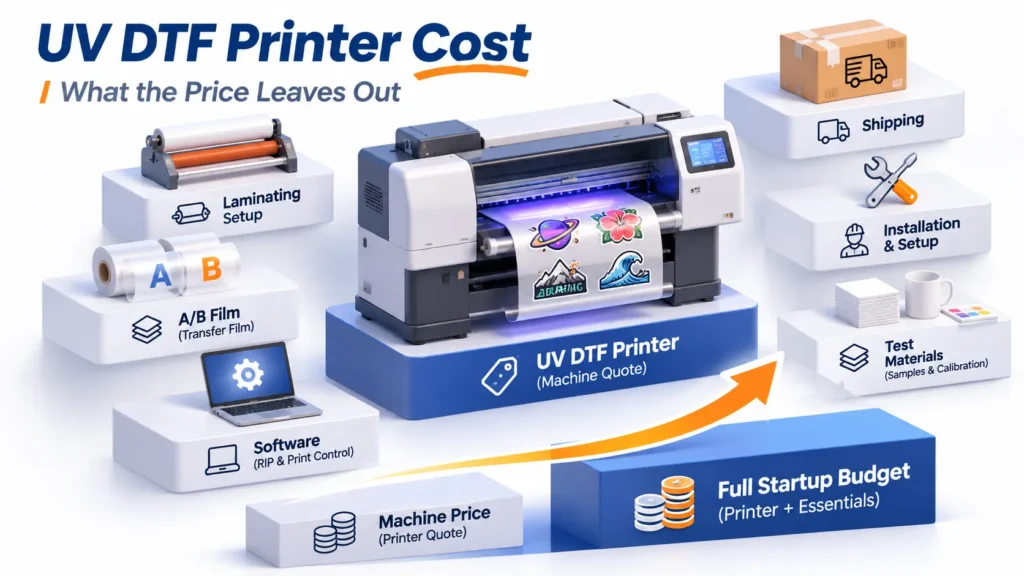
Compare the cost of a working production setup, not just the printer price. Include required lamination equipment, RIP license, starter ink and film, cleaning supplies, training, and delivery scope. Allow separately for a computer, worktables, electrical preparation, and workspace controls required by the equipment and chemicals.
For a US order, establish whether freight, unloading, duties, taxes, and installation are included. Recurring costs should cover materials, labor, maintenance, and replacement parts, including maintenance and material use between orders. Low utilization can make a seemingly economical printer a poor fit for irregular demand.
Xinflying provides a tailored quotation after reviewing the configuration and delivery conditions. Compare its complete scope with competing quotations; for financing, compare total payable amounts and terms alongside the initial payment.
Check Maintenance and US Support Before Buying
White-ink circulation does not replace routine maintenance. Ask the operator to show daily tasks, idle-period care, and maintenance access, then identify work requiring technical help. An equipment choice should fit the available operator’s time and skills.
Use supported ink, film, and cleaning products, and obtain their Safety Data Sheets. The UK’s HSE printing guidance identifies potential skin and respiratory risks from UV-curable inks; this is general safety context, not a US legal requirement. Follow the selected products’ SDS and equipment instructions when planning controls.
Get service scope in writing. Confirm the support contact, time-zone arrangements, diagnostic process, replacement-parts route, and whether assistance is remote or onsite; local stock and availability must be established for the order.
Our standard policy provides a 12-month limited warranty from shipment for eligible hardware unless the written agreement differs. Installed and successfully tested printheads, consumables, and listed wear or maintenance parts are generally excluded. Long-term remote technical support is available; confirm the order’s specific coverage and arrangements.
Compare Time to a Complete Order—and Operator Time Separately
UV DTF Printer FAQs
Start with artwork fit and representative orders, rather than the smallest machine. A narrower printer may suit standard small designs, while wider layouts or metallic work call for different configurations; irregular demand may favor purchased transfers.
No; some integrate lamination and others need a separate unit. Confirm the package, compatible width, and operating requirements rather than assuming integrated rollers are heated.
No; it needs a manufacturer-supported combination of ink, transfer media, accessories, and instructions. Direct-object printing capability alone doesn’t establish transfer compatibility.
Request a quotation for the required configuration and delivery location. Compare the included software, materials, accessories, and delivery terms as well as the printer.
No; count alone doesn’t establish finished-order output or quality. Check the head configuration against acceptable results, usable width, and operator time.
Standard hard-surface UV DTF transfers normally use pressure application without a heat press. Follow the selected materials’ instructions, especially for specialized effects; don’t apply textile DTF assumptions.
Get a UV DTF Printer Configuration Matched to the Workload
Send the target product, artwork dimensions, typical batch quantity, expected workload, and US delivery location through Get Free Quote or Contact us on the relevant Xinflying product page above. Include a sample file and specify standard transfers or metallic foil. We can then recommend equipment and quote the configuration, required accessories, and delivery conditions.