Daily DTF shirt output is limited by usable transfers, garment application, and the staff time available. Start by calculating how many usable transfers the artwork layout and print mode can supply, then check how many shirts the press and operator can finish within the same shift. The lowest capacity is a planning ceiling; the timing of each batch determines whether production can reach it.
A shirt-per-day figure needs a defined job and shift. Set the artwork size, decoration positions, staffing, and working hours before comparing capacity. This method covers conventional textile DTF printing.
Decide What Counts as a Completed Shirt
A DTF printer prints transfers onto film. The garment still needs application and inspection, so specify whether the target means cured transfers, checked shirts, or packed orders.
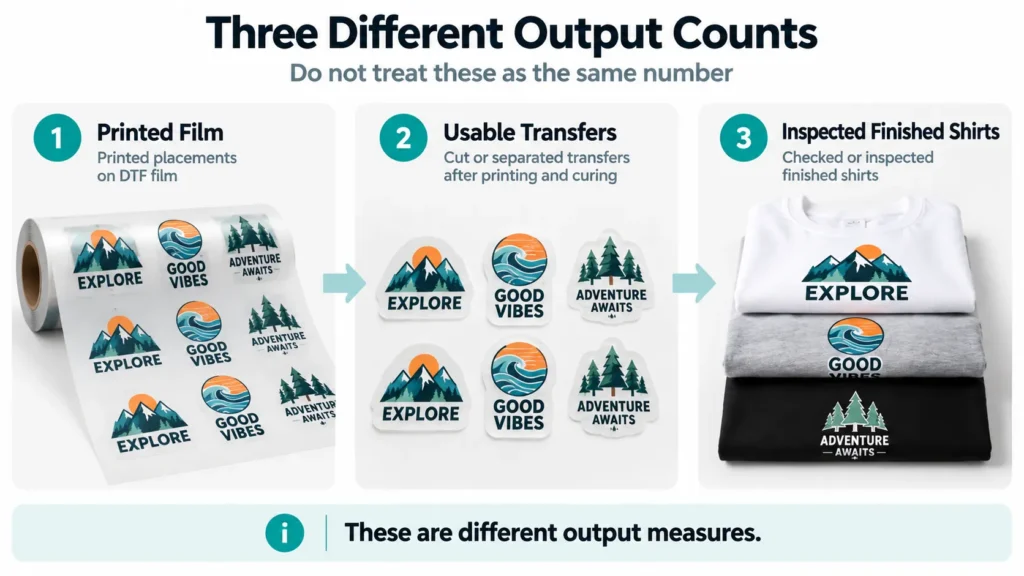
Count every decoration position. A front-and-back shirt needs both transfers and their application work; adding a sleeve logo changes the workload again.
Count complete sets for multiple-placement orders. For example, 200 front transfers and 80 back transfers can complete only 80 front-and-back shirts, even though 280 transfers are available.
For mixed orders, group the jobs by artwork size and placement requirements. One average transfer count can conceal a shortage of the large back designs that a particular order needs.
Convert the Layout Into DTF Transfers per Hour
Calculate the number of transfers in a representative RIP layout and the area allocated to that layout. Include margins, spacing, and necessary blank film rather than dividing by the colored artwork alone.
For a hypothetical layout, 20 transfers within a 2 m² film footprint give a density of 10 transfers/m².
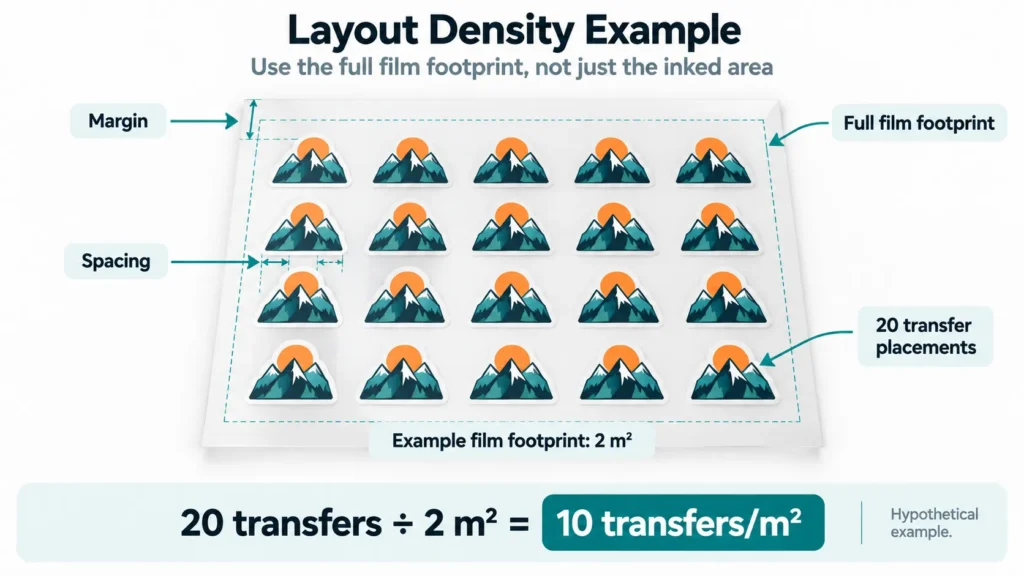
Use the same area basis for speed and layout. If the rate measures the full film footprint advanced during printing, calculate density from that footprint; do not combine it with an area measurement that counts only inked pixels.
For U.S. measurements, 1 m² is approximately 10.76 sq. ft. Convert the speed and layout to matching units before multiplying them; the calculation works equally well in square feet.
Our DTF gang-sheet guide explains layout-related equipment choices. For this calculation, the important question is how many required transfers the actual layout holds.
Keep print-mode specifications attached to their conditions
DTF printing speed can change with the selected mode. For example, the Xinflying XF-702E specifications list standard print speeds of 10 m²/h in 6-pass mode, 8 m²/h in 8-pass mode, and 5 m²/h in 12-pass mode.
Those figures illustrate why “printer speed” needs a mode attached. For the same layout area, the listed 12-pass rate implies roughly twice the printing time of the listed 6-pass rate; choose a mode that meets the job’s quality requirements before calculating capacity.
These manufacturer rates describe printing rather than finished shirts. For planning, establish the quality-approved print mode, white-layer settings, measured rate, and time period in a representative run.
Calculate Usable Transfers Without Counting Losses Twice
Start with printing speed when the rate describes only the time the machine is actually printing. Start with a job log when the recorded rate already counts accepted transfers over a full period, including its pauses and rejects.
| Starting point | Calculation | How to handle time and rejects |
|---|---|---|
| Printing speed | Film area/hour × hours actually printing × transfers/area × acceptance rate | Remove nonprinting time and account for rejected transfers separately |
| Job log | Accepted transfers/clock hour × comparable clock hours | Keep delays and rejects already included in the logged rate; do not deduct them again |
An observed rate that already includes a loss should not have that loss deducted again. If the log shows 80 accepted transfers per elapsed hour, multiplying by an additional rejection percentage would understate output when the same rejects are already inside that rate.
When starting from printing speed, subtract preparation, cleaning, changes, and interruptions to find the actual printing hours. Apply the acceptance rate for transfers that pass the checks through curing. Count startup waste separately only when it falls outside that recorded rate.
For front-and-back work, the transfer total must also provide enough of each required design. Use the complete-set count from the first section before calling the result shirt capacity.
Check Curing, Pressing, and Shared Labor
Every stage needs a capacity expressed in compatible units and over a stated period. Printer-side output is only one part of the calculation.
Powdering, curing, cutting, and sorting
Check that the powder shaker and dryer can handle the proposed film feed under the specified consumable conditions. Include cutting and sorting when those tasks are needed to make transfers available for pressing.
If the dryer forces printing to slow or pause, include that restriction in the plan. Increasing its temperature or stockpiling uncured film is not a substitute for following the matched process instructions.
A growing queue shows where to investigate. Uncut transfers waiting beside an idle press can point to handling or staffing, even when printing and curing are keeping pace.
Measure the whole garment-application cycle
Time loading, positioning, pressing, peeling at the required stage, any specified finishing operation, and inspection. A press dwell setting describes only part of that cycle.
For separately staffed stages working concurrently, the lowest effective capacity provides a useful upper limit once production is flowing. A fixed shift also needs time for the first usable batch to arrive and the last garment to finish.
Multiple presses help only when the operator can load and unload them, suitable transfers are available, and the required application method permits the arrangement. Two presses do not automatically double the completed-shirt count.
Account for the operator shared between stations
A single operator may prepare layouts, attend the printer, cut transfers, press garments, and handle customer requests. Those tasks compete for the same working time.
Add the nonoverlapping hands-on task time per shirt. Keep automatic machine time separate where safe, permitted overlap is possible, and count unavoidable waiting where it actually occurs.
That gives a labor limit:
Labor capacity = available hands-on seconds ÷ hands-on seconds per finished shirt.
The labor limit must still be checked against equipment capacity and the actual schedule. Independent station rates assume independent staffing; they cannot establish what one shared operator will complete.
Worked Example: An Eight-Hour Shift With a Pressing Bottleneck
All figures below are hypothetical planning inputs, not measured Xinflying output or recommended process settings. They illustrate capacity limits under the stated conditions, not guaranteed deliveries.
Assume one front transfer per shirt and an 8:00 a.m.–4:00 p.m. shift, with two operators: one handling transfer production and one handling garment application. The assumed batch-release schedule supplies enough usable transfers to keep the press fed during its planned working periods.
| Input | Hypothetical value |
|---|---|
| Gross layout-area rate during active printing | 9 m²/h |
| Active printing time after preparation and pauses | 6 hours |
| Layout density | 10 transfers/m² |
| Acceptance after printing and curing | 95% |
| Powdering, curing, cutting, and sorting capacity | 600 gross placements within the planned production window |
| Complete garment-application rate | 55 checked shirts/h |
| First usable batch available for pressing | 8:45 a.m. |
| Planned end of garment application | 3:15 p.m. |
| Pressing break within that window | 30 minutes |
Calculate the usable transfer supply
Gross printed area is 9 × 6 = 54 m². At the assumed layout density, that gives 54 × 10 = 540 transfer placements.
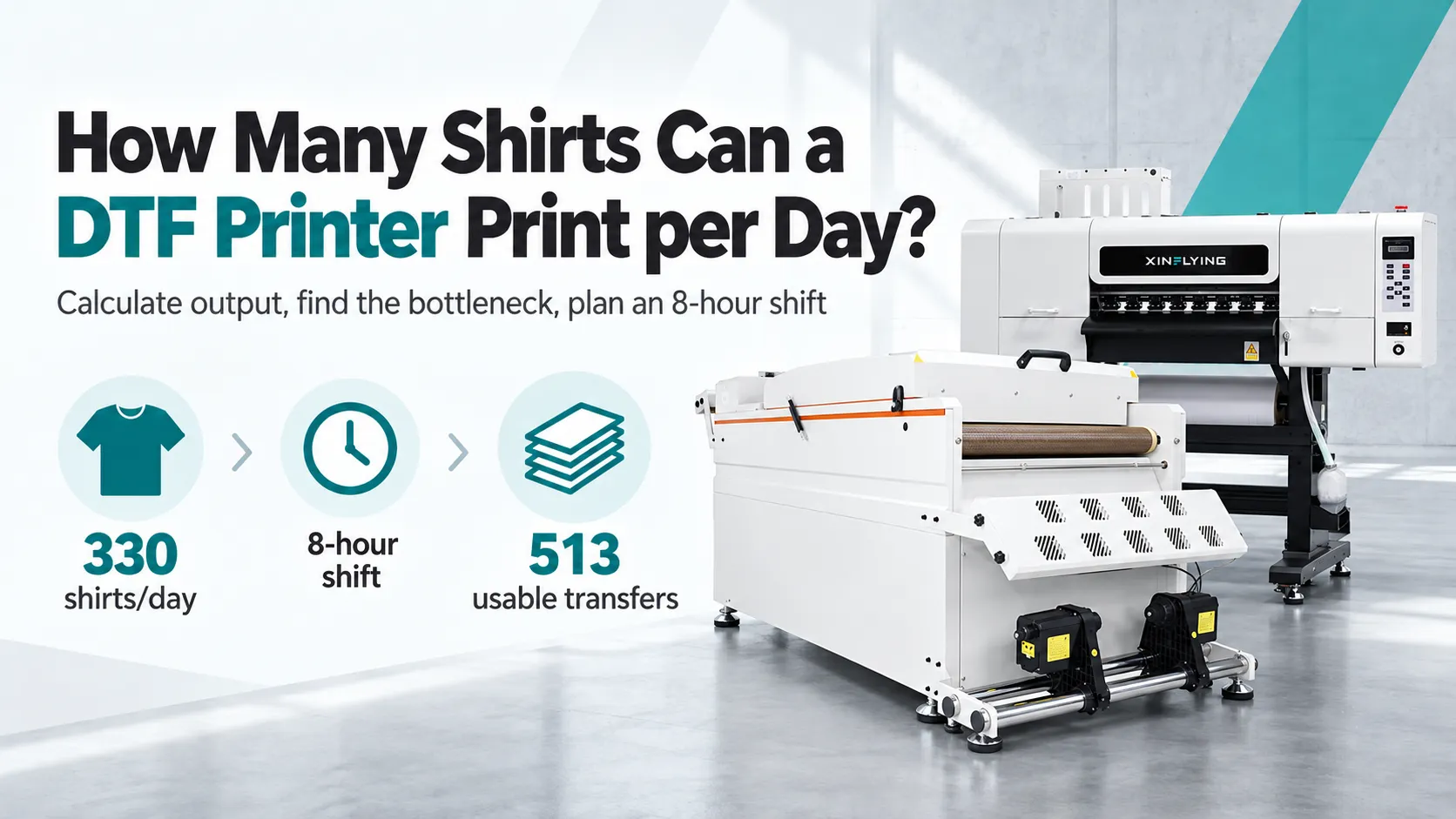
The assumed downstream capacity of 600 placements can handle those 540 placements. Applying the 95% transfer acceptance rate once gives 540 × 0.95 = 513 usable transfers.
This count is still transfer supply. It has not yet established how many shirts will be completed.
Calculate the scheduled garment-application limit
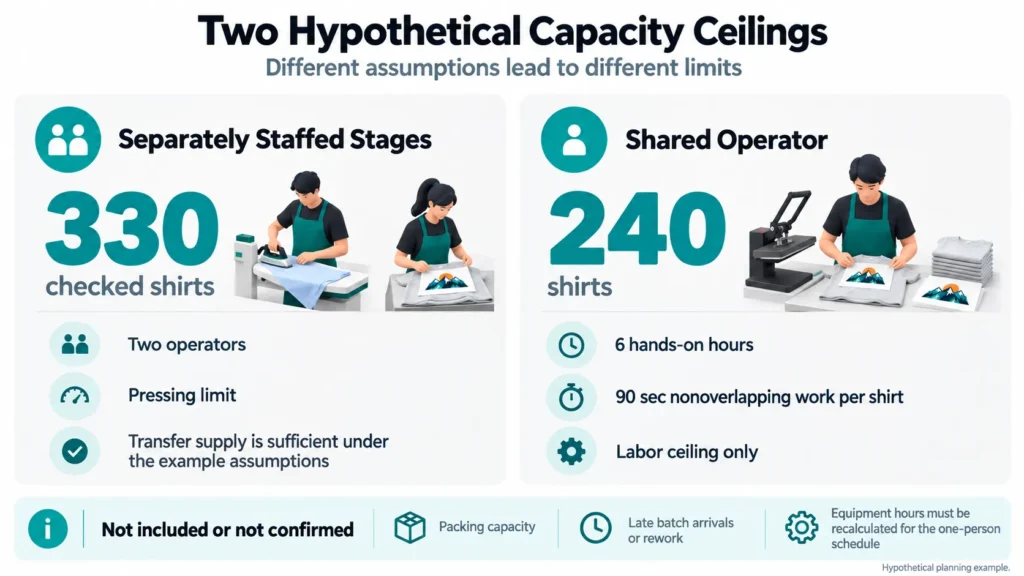
From 8:45 a.m. to 3:15 p.m., the press has a 6.5-hour window. Subtracting the 30-minute break leaves 6 hours, so the garment-application limit is 55 × 6 = 330 checked shirts.

The plan is limited to 330 checked shirts under these assumptions. It has sufficient transfer supply, but garment application cannot use all 513 transfers within the scheduled window.
Late batch releases, extra rework, or an operator pulled onto another task can lower the completed count. Packing needs its own capacity check; the remaining time before 4:00 p.m. does not establish how many orders can be packed.
Recalculate when artwork or staffing changes
If larger artwork reduces density to 5 transfers/m², gross placements fall to 54 × 5 = 270. The same assumed acceptance factor gives 256.5 transfers, rounded down to 256 for a whole-unit planning estimate.
That changes the lower limit to transfer supply, before checking whether the smaller batches arrive in time. A wider printer is worth evaluating only if a representative layout shows that the extra width helps the required jobs.
Now consider a shared operator with six available hands-on hours and an assumed 90 seconds of nonoverlapping work per shirt. The labor upper limit is 6 × 3,600 ÷ 90 = 240 shirts, before equipment and timing constraints.
The assumed 90 seconds covers combined hands-on work, not heat-press dwell time. Recalculate printing and pressing hours for the one-person schedule rather than reusing the two-person plan.
Compare the three planning cases
The results below describe different constraints. Keep the output unit and conditions attached to each figure.
| Case | Result under the stated inputs | Limiting factor | Check before setting a deadline |
|---|---|---|---|
| Original layout, two operators | 513 usable transfers support up to 330 checked shirts | Garment application | Batch arrivals keep the press supplied; packing is outside the count |
| Larger artwork: 5 transfers/m², other baseline inputs unchanged | About 256 usable transfers, allowing at most 256 single-front shirts | Transfer supply | Recheck batch arrival times and garment application |
| One operator: 6 hands-on hours and 90 seconds of work per shirt | A labor ceiling of 240 shirts, not a confirmed finished count | Shared labor | Recalculate equipment operating hours and the one-person schedule |
Use the Result to Decide What Actually Needs More Capacity
Start with the stage that limits the required order, then check whether changing it improves the whole schedule.
| Observation | Decision to investigate |
|---|---|
| Required transfers are ready, but the press queue grows | Garment handling, press staffing, cycle time, or suitable additional pressing capacity |
| Printing cannot supply enough of the required designs | Actual layout density, quality-mode rate, usable width, and printing time |
| The dryer repeatedly slows the printer | Matched curing capacity and the approved feed conditions |
| Equipment waits while the operator handles other tasks | Work allocation, batching, and interruptions |
| Repeat jobs run well but small mixed orders fall behind | File preparation, job changes, cutting, and sorting |
Our DTF printer buying guide covers broader equipment-selection checks. Use the capacity calculation to identify the limiting requirement before comparing additional specifications.
Capacity and profitable demand are separate numbers. Base revenue planning on saleable orders and the associated costs; the unused ability to print more shirts does not create sales.
If outsourcing could cover peaks, include the press and labor needed to apply those purchased transfers. Our in-house DTF printing versus outsourcing comparison covers that business decision.
Verify the Plan Against a Normal Day and a Peak Day
Record representative work instead of treating a short demonstration as a full-shift result. Include the small job changes and shared tasks that the business actually handles.
A useful log records:
- Job layouts, placement requirements, print mode, and consumables.
- Active printing time, elapsed time, and pauses by cause.
- Usable transfers and completed shirts, with rejects and rework separate.
- When usable batches reach the press and when the last shirt finishes.
- Staffing changes and, if included in the target, packing completion.
Compare the estimate with the final count and locate the largest difference. If mixed orders regularly reduce productive time, use their observed pattern when setting deadlines rather than applying an unexplained efficiency percentage.
FAQ
That target needs enough usable transfers, garment-application capacity, and staff time for the actual designs. Test the intended layout and complete workflow; a printer category or printhead count alone cannot confirm the result.
Usually the stated figure describes printing under the listed conditions. Include powdering, curing, handling, garment application, and inspection whenever they fall inside the promised deliverable.
Each finished shirt needs a complete set of transfers and the work to apply them. Different front and back sizes change film demand, so group and count the required designs separately instead of simply halving every transfer total.
Only if transfers, staffing, and the complete application workflow can support the additional capacity. Measure the operator’s work and batch availability as well as the presses.
Identify the limiting stage using the job log. Better layout, fewer avoidable interruptions, clearer batch sorting, or suitable staffing may improve completion before a faster printer is needed.
Bring the Order Requirements Into the Equipment Discussion
For an existing setup, record one representative production day and use it to replace the assumptions in the calculation. For a new setup, bring the actual artwork, decoration positions, order quantity, deadline, and staffing plan into the demonstration.
Contact Xinflying with those production requirements for equipment and configuration guidance. Include the current printer and finishing equipment so the discussion can focus on the stage that needs capacity and the scope of a configuration-based quote.