A 24-inch DTF printer is worth considering when recurring designs won’t fit on the current machine, or narrow layouts keep profitable orders waiting. If A3 equipment handles those orders on time, buying more width may add cost without solving a business problem.
The A3 vs 24-inch DTF printer decision starts with the same order on both machines. Compare full-size artwork, film used per order, accepted output, and the complete purchase cost. Daily shirt count alone leaves too much out.
This guide compares textile DTF equipment that uses pigment ink, transfer film, adhesive powder, and heat pressing. A3 UV DTF equipment for hard-surface decoration serves a different production task.
A3 or 24 Inches: Choose by Order Type
A smaller format makes sense when recurring artwork fits comfortably, batches remain manageable, and the current printing schedule meets delivery commitments. Wider equipment becomes useful when it removes a repeated size or layout constraint.
| Buying question | A3-class or compact DTF printer | 24-inch DTF printer |
|---|---|---|
| What work fits? | Designs within the exact model’s printable area | Wider designs and more room for multiple copies across the film |
| What limits production? | Larger graphics may not fit; repeated designs may require more rows | Printing can feed a queue at curing, sorting, or pressing |
| How does finishing work? | May use a separate oven or a matching automatic shaker/dryer | Often paired with a roll-fed shaker/dryer; check the actual package |
| What about maintenance? | Requires model-specific care even with light use | Requires care plus support suited to the workload; width alone proves neither reliability nor service quality |
| What space is needed? | Allow for finishing, supplies, and service access as well as the printer | Plan the complete line, collection area, and operator access |
| When is it worth buying? | The layout and workflow meet real orders at a workable total cost | A demonstrated improvement justifies added equipment and running costs |
Neither column describes every model. A compact printer can have automatic powder handling, and a wider printer still needs an operator and routine care.
Our small-business DTF buying guide covers the broader purchase. Here, the decision is specifically how much width the work needs.
A3, 13 Inches, and 60 cm Are Not Interchangeable Specs
A3 names a paper format; it doesn’t guarantee a printer’s usable width. ISO 216 defines trimmed paper sizes. A DTF equipment listing still needs its own printing-area specification.
Sellers use A3 and A3+ labels for compact equipment with different media widths and feeding arrangements. Check whether the stated measurement describes film width or printable width, and whether the printer accepts sheets, rolls, or both.
A 13-inch vs 24-inch DTF printer comparison uses more specific width labels, but the printable boundaries still need checking. An A3 vs 60cm DTF printer comparison addresses a similar compact-versus-wide choice.
Treat 60 cm and 24 inches as different measurements. A 60 cm rating is about 23.6 inches; a nominal 24-inch label does not guarantee 24 inches of usable print width.
Start With the Largest Recurring Design
Measure artwork at its finished dimensions. Record regular chest logos, sleeve designs, and full-front or back graphics separately, along with copies per order and deadlines.
Try rotating a rectangular design in the RIP while keeping its size unchanged. On roll-fed equipment, the longer side may run along the film when the shorter side fits across it.
Check both dimensions against the actual feeding and printing limits. If neither orientation fits, scaling the artwork down changes the product the customer ordered. A supplier demonstration should use the agreed final size.
Separate recurring large jobs from rare exceptions. Outsourcing an occasional oversized transfer may cost less than buying extra width that regular orders never use.
Compare Film Use: Less Roll Length Is Not the Same as Less Film
A wider roll may need much less length without saving the same proportion of film. The calculation needs the media’s full width, not just the space covered by artwork.
Consider 30 copies of a 7 × 10-inch design. For this hypothetical roll-fed example, assume a 13-inch roll with 12 inches of usable width and a 24-inch roll with 23 inches usable. Allow 0.25 inch between designs and rows.
On the narrower roll, one rotated copy fits per row: 10 inches across and 7 inches along the film. On the wider roll, three unrotated copies fit across: 3 × 7 + 2 × 0.25 = 21.5 inches.
| Layout measure | Narrower roll | Wider roll |
|---|---|---|
| Copies per row | 1 | 3 |
| Rows for 30 copies | 30 | 10 |
| Length occupied by rows and internal gaps | 30 × 7 + 29 × 0.25 = 217.25 in | 10 × 10 + 9 × 0.25 = 102.25 in |
| Film area over that length | 13 × 217.25 = 2,824.25 in² | 24 × 102.25 = 2,454 in² |
The wider layout uses about 53% less length, but only about 13% less film area under these assumptions. Those are different savings, and neither figure measures printing speed.
These dimensions are illustrative, not specifications for the Xinflying models below. The calculation excludes loading, leading and trailing film, and rejected output; add those to measured consumption before costing an actual order.
Mixed Orders Need a Different Layout Check
Small logos can fill spaces beside larger graphics, which may improve a wider layout. However, collecting enough unrelated work to fill the roll can delay a rush order.
Nest the work that can meet the same production deadline. Keep customer and order identification with each design, then include cutting and sorting time in the comparison. A dense layout loses value if it causes picking errors or late shipments.
Try the regular order mix as well as one repeated design. The better width is the one that works across typical jobs, not just the most favorable demonstration.
Xinflying Options: Compact, Mid-Width, and 24-Inch
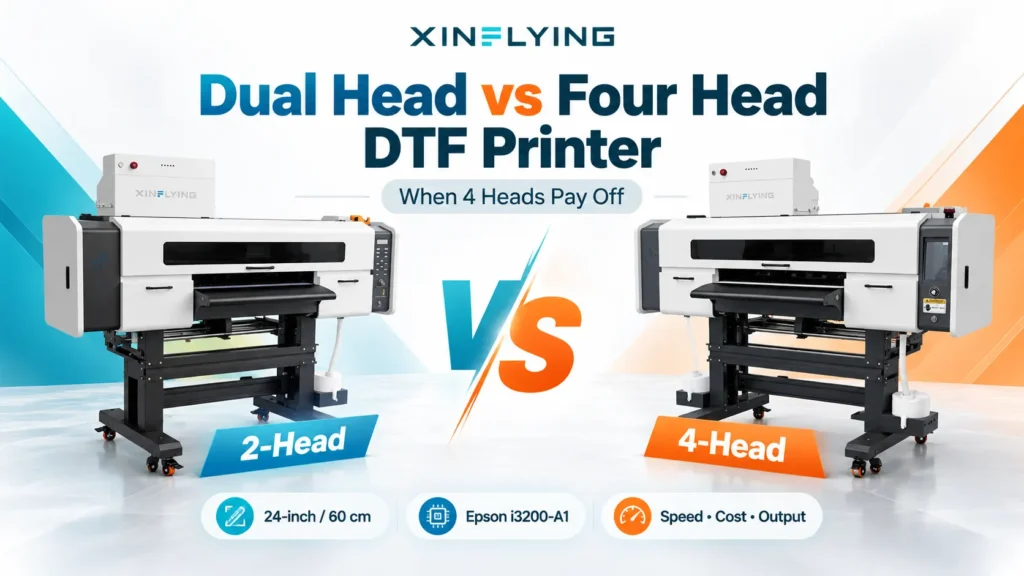
Within our range, compare the compact XF-400D with the wider XF-702E when evaluating these two production directions. The XF-400D is a 30 cm model, not a promise of a 13-inch printable area. Its narrower rating matters whenever artwork sits close to the available width.
| Specification | XF-400D | XF-702E | Why it matters |
|---|---|---|---|
| Listed printing format | 12-inch class / 30 cm | 24-inch class / 60 cm | Compare final-size artwork and the usable boundaries in the RIP |
| Printhead configuration | Two Epson i1600-A1 or XP600 heads, depending on configuration | Two Epson i3200-A1 heads | Two heads on each machine do not establish equal output or maintenance needs |
| Ink colors | CMYK + white | CMYK + white | Evaluate color and white coverage at the quality required for the order |
| Listed powder-processing pairing | XF-400H | XF-Z650-2 | Powdering and curing must handle the proposed printing workload |
The inch values are nominal format labels; do not treat them as exact conversions of the metric ratings. Retain the actual printable boundaries shown for the quoted configuration before finalizing a layout.
The XF-A2 offers a middle option: a 16.5-inch-class / 42 cm format with two Epson i1600-A1 heads. Its extra width creates more layout room than the 30 cm format without moving directly to 60 cm.
A mid-width printer deserves a layout trial when compact equipment is too narrow but 24 inches leaves substantial unused film. It may solve a recurring size problem without moving straight to the widest option under consideration. The order comparison still decides whether it earns its additional cost.
Compare Accepted Orders, Not Advertised Print Speed
A shorter layout doesn’t prove that completed orders leave sooner. Printing, powder application, curing, transfer handling, and garment pressing all contribute to the delivery schedule.
Compare Acceptable Quality Before Comparing Speed
Use the same artwork and quantity, with each printer operating in a supported mode that meets the same acceptance standard. Inspect fine text, solid colors, white coverage, and the applied transfer.
Record resolution, pass count, profile, white-layer settings, and the film–ink–powder combination. Identical pass counts alone don’t make different printers produce equivalent quality.
Compare accepted output through the same completion point. A transfer seller can time production through cured, inspected, sorted transfers. A garment decorator needs to continue through pressing and finished-garment inspection.
Track elapsed time and active operator time separately. Printing and curing may overlap, while trimming, sorting, and pressing can compete for one person’s attention.
Find the Queue Before Buying More Printing Capacity
If the heat press already has a backlog, a faster printer can add more transfers to that queue. Extra printing capacity earns its place when downstream equipment and staffing can process the output.
Keep a simple job log covering regular work and relevant peaks. Note where each order waits and whether the cause is file preparation, printing, powdering, curing, sorting, or pressing.
That record reveals the upgrade target. It helps separate a width constraint from an equipment fault, file-preparation delay, or staffing gap.
Keep Maintenance and Support in the Comparison
A wider printer won’t repair an unstable production routine. Compare each model’s required care, white-ink handling, idle procedures, and access to compatible parts. Automatic functions can assist the operator; they do not establish maintenance-free operation.
Request the maintenance schedule and support terms for the quoted configuration. Check who handles U.S. troubleshooting, how replacement parts reach the business, and which costs fall outside warranty. These affect the cost of interrupted orders, especially when a larger printer becomes the main production machine.
Compare the Complete Purchase and Cost per Accepted Transfer
Compare ready-to-produce configurations, not just printer prices. An A3 bundle can include an oven, omit it, or use a separate shaker/dryer. Check the listed contents before assuming a lower price covers the same work.
Include powder handling, curing, a suitable heat press, RIP software, a compatible computer, and initial consumables. Then account for installation, training, delivery, applicable taxes, and any site work.
Mark existing equipment that can genuinely be reused. Counting an owned press as a new purchase for only one option distorts the comparison.
Draw the Installed Layout
Plan the printer, finishing equipment, take-up or collection area, press, garment staging, and supply storage. Leave access for loading film, maintenance, and removing finished work.
Use the dimensions and electrical requirements of the quoted equipment version. A small printer footprint doesn’t establish that the complete process fits a spare room or home office.
Review ink, powder, and cleaner documentation when planning handling and ventilation. OSHA’s safety data sheet guide explains where to find hazard, handling, storage, and exposure-control information; the actual product SDS and equipment instructions provide the applicable requirements.
Price the Orders, Then the Upgrade
For the same completed quantity, compare actual film area, ink, powder, cleaning materials, energy, rejects, and active labor. Where relevant, include maintenance and ownership costs over the comparison period.
Start with total order production cost ÷ accepted transfers. For the upgrade, added investment ÷ verified monthly cost savings gives a simple recovery estimate when savings are positive and repeatable. Include recurring ownership costs consistently; keep hoped-for new sales separate from savings on existing work.
For Xinflying equipment, pricing follows the requested configuration and delivery scope. Compare itemized written quotes, including software licensing, spare-parts arrangements, and the applicable support and warranty terms.
When to Upgrade From A3 to a 24-Inch DTF Printer
Upgrade when recurring work exposes a constraint the wider equipment demonstrably removes. Good reasons include artwork that cannot fit, repeated jobs that consume too many rows, or a print-stage backlog that delays completed orders.
There is no universal “50 shirts a day” threshold. Fifty small logos and fifty large back graphics can create very different printing and finishing loads.
If the current format fits and meets deadlines, keeping it may be the better investment. Low or irregular demand also warrants a comparison with outsourced transfers, because owning a wider machine adds care and capacity that may sit unused.
Take one ordinary order and one difficult recurring order to the demonstration. Save the layouts and compare film consumption, accepted output, active labor, and timing through the same finish point. Buy the extra width only if that comparison shows an improvement the business can use.
FAQ
Some sellers market 13-inch equipment as A3 or A3+, but the terms don’t guarantee the same usable area. Compare the exact printable width, feeding format, and supported job length. Don’t assign a 13-inch capability to a model rated at 30 cm.
No. The label alone doesn’t identify the feeding mechanism. Some compact DTF equipment supports rolls; check the exact model and its collection and curing arrangement.
Yes, provided the layout fits its printable area and supported media. Wider equipment offers more room across each row, but small logos and mixed designs can also share narrower film.
No. Width changes layout options; head configuration, quality mode, curing, staffing, and pressing also affect completed output. Time the same accepted order through both workflows.
No. It may improve nesting, but film utilization, ink, waste, labor, and ownership costs all matter. Compare cost per accepted transfer rather than assuming a shorter roll layout guarantees lower cost.
Width alone doesn’t establish better color, detail, or durability. Compare accepted transfers made with supported settings and consumables, then apply them to the intended garment. A larger layout cannot compensate for poor artwork or an unsuitable transfer process.
Choose the Width That Solves a Repeated Order Problem
Start with the smallest configuration that fits recurring artwork and meets the required delivery schedule. Consider wider equipment when a trial shows a useful improvement in completed work or production cost.
For a configuration comparison, send Xinflying the order details. Include the largest design dimensions, typical quantities, deadlines, and whether the business sells transfers or finished garments. Add available floor space, existing finishing equipment. delivery ZIP code so the recommendation and quote address the actual job.