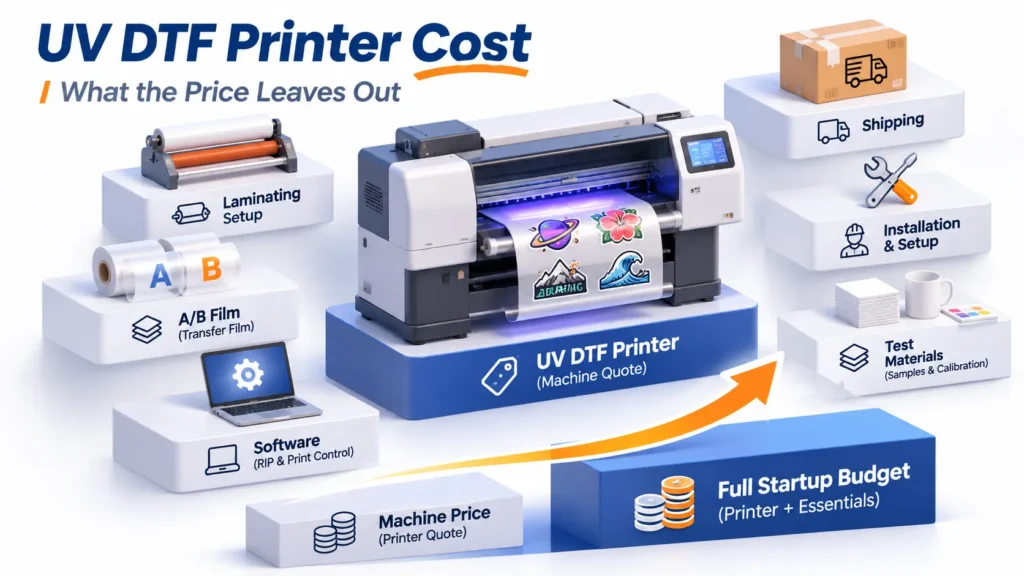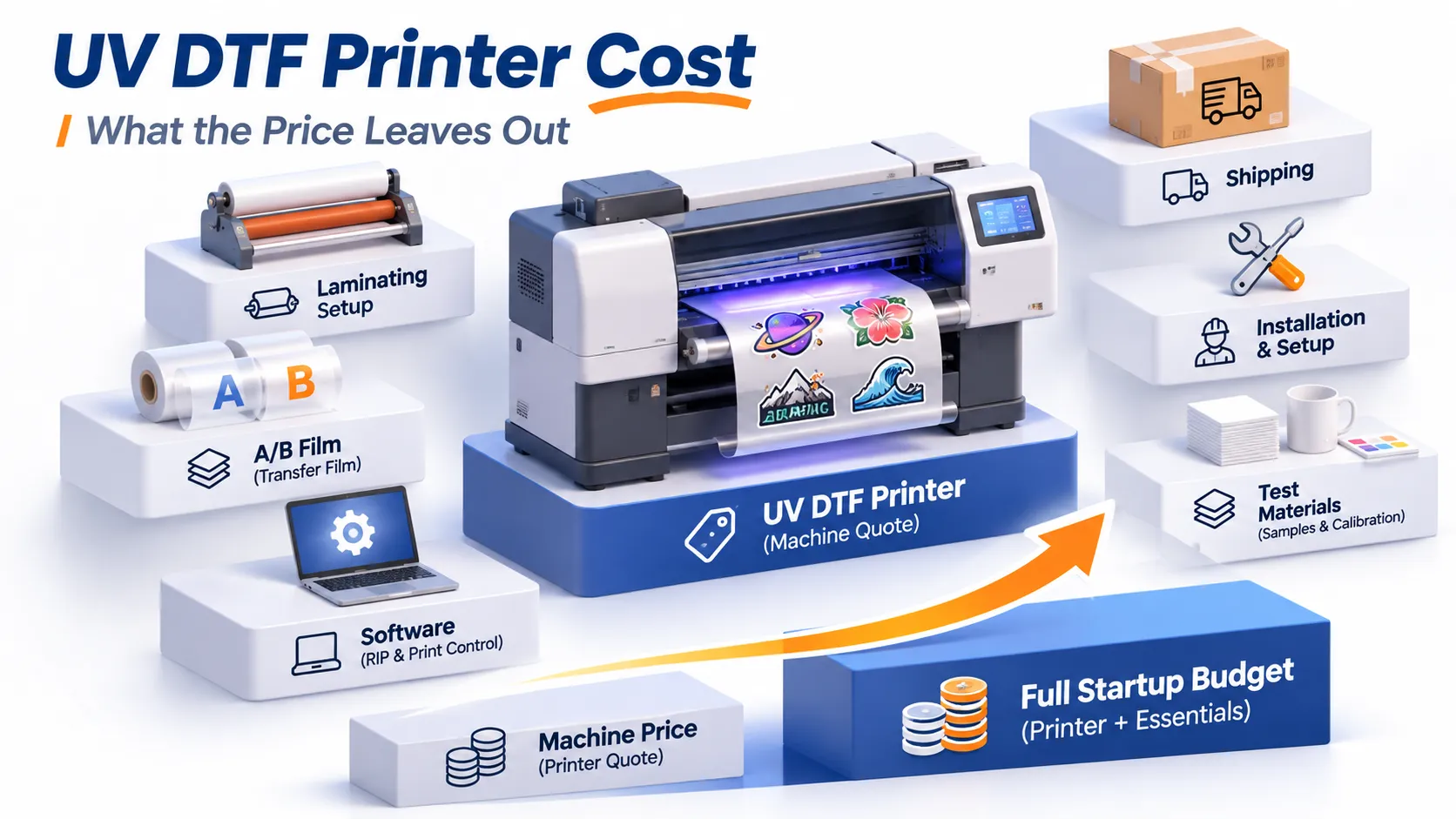
A UV DTF printer price and the cost of filling your first order are two different numbers. Xinflying UV DTF printers start at US$2,500. Other packages we checked in November 2026 ranged from about $2,400 for a desktop UV printer bundle to around $13,000 for a dedicated roll-fed UV DTF printer with lamination built in.
Those prices don’t buy the same thing. Some include film, ink, and lamination. Others leave the laminator, transfer film, software, or delivery for you to add.
This guide shows what real packages include, which startup costs sit outside the machine quote, and how to line up two quotes so you compare the same job. You’ll finish with a method that separates what’s included, what you already own, what you still need, what can wait, and what’s still unknown.
How Much Does a UV DTF Printer Cost? Start With Real Packages
Prices online vary widely because each one covers a different purchase. The table below shows listed U.S. dollar prices for specific packages. Other brands’ figures are snapshots from the manufacturers’ product pages on November 2, 2026; promotions, stock, and checkout prices can change.
| Printer or package | Listed price | What the listing clearly includes | What you still need to check |
|---|---|---|---|
| Xinflying UV DTF printers | From US$2,500 | Starting price for the UV DTF product line | Exact model, laminating setup, software, starter supplies, and delivery terms are set in a configuration-specific quote |
| eufyMake E1 Basic Bundle | $2,409 base card price | E1 UV printer and ink set | The UV DTF laminating machine is a separate add-on (listed at $399.99 base); A/B transfer film and the exact transfer workflow need confirming |
| Procolored VF13 Pro, Without Stand | $6,399 base price (a $5,899 promotional price was also shown) | Print-and-laminate 2-in-1 printer, UV DTF ink, varnish, nozzle protection fluid, one roll each of 31 cm × 50 m A film and B film | Stand is not included in this option; RIP software license terms aren’t spelled out on the page |
| UNINET 3000 | $12,995 public listing | 17-inch roll-fed printer that prints and laminates automatically; RIP software, supplies, training, and onboarding | Shipping and order terms; the official store listed a separate flat-rate shipping charge for this item |
Two different purchase routes sit inside these numbers. One is a desktop UV printer that makes transfers through a manufacturer-supported film and laminating add-on. The other is a dedicated UV DTF printer built to print on A film, laminate it to B film, and feed the result out as peel-and-apply decals.
Both routes can produce transfers. They differ in what you buy, how film is fed, how much hands-on work each batch needs, and how well each fits continuous production.
Same model, different bundle, different price. The VF13 Pro With Stand option was listed at $6,899 base and adds a printer bracket. eufyMake’s Deluxe Plus bundle adds rotary, laminator, and roll-to-film attachments to the E1. A rotary attachment helps with tumbler printing, but it isn’t a required cost for every UV DTF transfer order.
A quick definition keeps the budget honest. UV DTF prints a transfer onto film, then the decal is applied to a hard surface such as glass, metal, acrylic, or plastic. A garment DTF printer, a powder shaker, or a direct-to-object cup printer belongs to a different process and shouldn’t be used as a cheaper stand-in in your budget.
Bottom line: figure out what a price covers before deciding where it sits in your budget. A low number isn’t automatically the best deal, and a high one isn’t automatically overpriced.
What Actually Drives the Price Difference?
Higher prices usually buy wider media, a different head and feed setup, built-in lamination, or more included software and support. Pay for the parts that match your regular orders.
Print Width, Printheads, and Media Feed Must Match the Same Order
Print width decides whether large designs fit and how many smaller decals you can gang across the film. A wider printer can reduce the film length an order uses, but it doesn’t guarantee a lower cost per transfer. Compare total film used for the same number of accepted transfers.
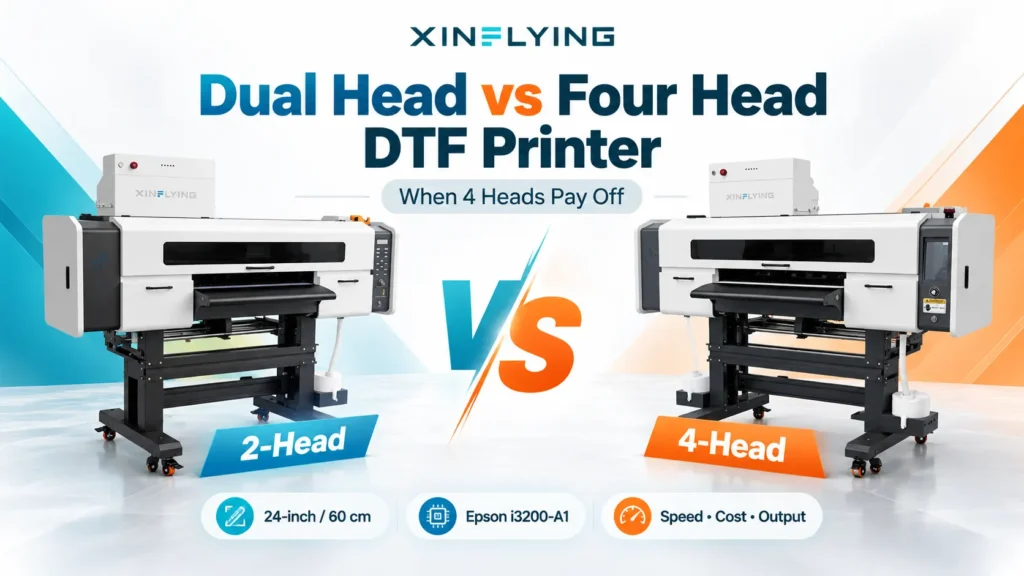
Printhead model and count are part of the configuration, not a pricing formula. The final price also reflects the motion system, ink circuit, film feed, curing, and maintenance design. Don’t estimate a fixed price gap or daily output from head count alone.
Sheet-fed desktop work and roll-to-roll production behave differently. Compare them only on the same artwork, quality standard, and delivery format.
Lamination, Software, and Support Change the Purchase Scope
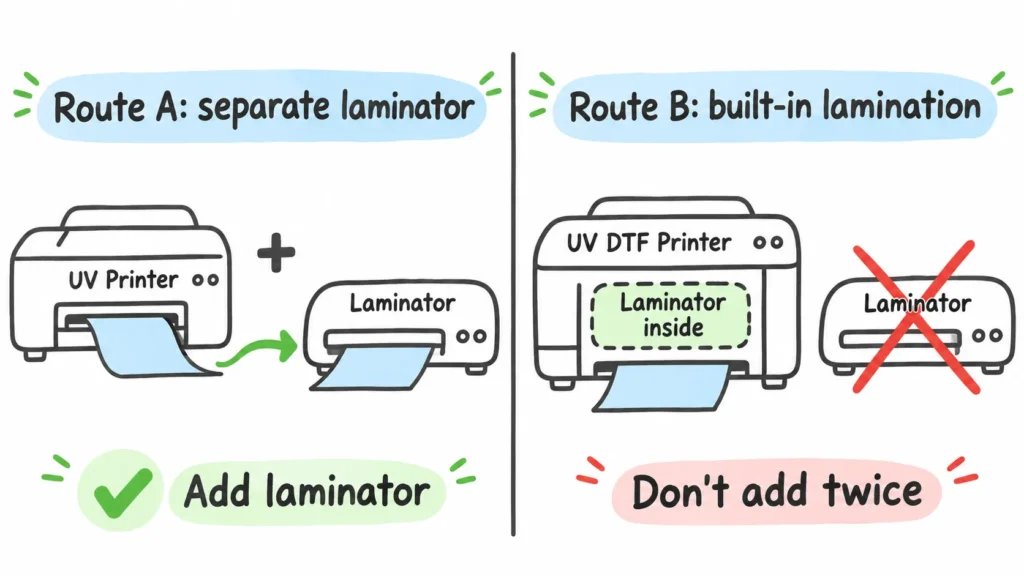
Lamination is the most common double-count. If the printer laminates A and B film inside the machine, don’t add a standalone laminator to that quote. If the workflow is split, count the laminator, the extra bench space, and the handling between steps.
Software deserves its own line. “Compatible with a RIP” doesn’t mean a full license is included. Check which functions you get, how updates work, and what computer the software needs.
Training, installation help, remote support, spare parts, and warranty are separate questions. A “one-year warranty” rarely means every later repair is free.
Two Xinflying models show what a quote must spell out:
- XF-450S-3 uses 3 Epson i1600-U1 printheads, prints CMYK + white + varnish, and has a 12-inch (30 cm) print width. The spec sheet doesn’t state the laminating arrangement, so the quote should name it clearly.
- XF-600-3I32U1 uses 3 Epson i3200-U1 printheads and is listed as an all-in-one printer with an auto laminating device. Its media width is 600 mm (about 23.6 inches). That’s the media size, not a confirmed usable print width.
For a full model-fit method, see our UV DTF printer buying guide, or browse the current Xinflying UV DTF printers.
Bottom line: buy the configuration your target orders need. Without a matched demo or production record, don’t assume an upgrade will save a set amount of labor, waste, or money.
From Machine Quote to First Order: What Else Do You Need to Pay For?
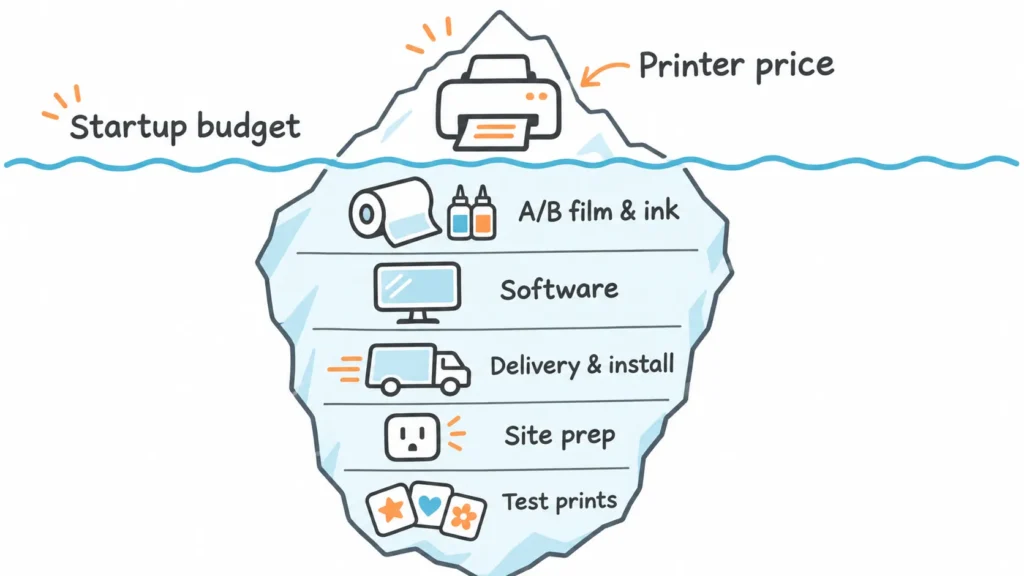
Startup cost has three parts: what it takes to produce the first good batch, what it takes to get the printer delivered and ready, and what you can postpone. The machine quote may cover some of each, or very little.
Costs Required to Produce the First Good Batch
- A confirmed print and laminating setup, plus software and a computer that can run it.
- Compatible UV ink, varnish, A/B film, and recommended cleaning supplies. Include material for test prints and media changes, not just the first sellable job.
- Basic cutting, inspection, sorting, work surfaces, and packaging for the way you deliver. This guide’s examples assume you sell loose, finished transfers.
If you sell decorated products instead, count blanks, application, inspection, and packaging separately. Don’t fold them into the cost of a loose transfer.
Costs to Get the Printer to Your U.S. Site and Ready to Run
Freight, insurance, customs and import responsibility, applicable taxes, final-mile delivery, unloading, and installation should each appear as a line in the quote and delivery terms. Some listings include U.S. customs fees or offer free shipping within set limits; others add freight at checkout. Neither covers every buyer’s situation.
Check power, grounding, working space, and the ventilation the equipment and materials call for. A 20 kg desktop unit and a 275 kg production printer need very different site preparation. Our UV DTF production setup guide walks through the full workflow around the printer.
A compatible computer or bench you already own can be marked “already have.” Avoid adding a flat 15–30% contingency or a single assumed tariff rate. Price the real items instead.
Items You Can Buy Later
Rotary printing, special effects, extra workstations, and other expansion options can wait until orders require them. Required maintenance conditions and the first compatible consumables can’t.
Free starter supplies lower this purchase, not your long-term material cost. Once the included film and ink run out, they become recurring costs.
Bottom line: your startup cost depends on your target orders and what you already have. Fill in the required items first, then ask whether the budget is enough.
How to Compare Two UV DTF Printer Quotes on the Same Terms
A lower sticker price and a fuller package can’t be compared until both answer the same job. This is where most buyers lose money: they compare machine names instead of purchase scope.
Step 1: Give Both Quotes the Same Job
Use a defined purchase task. For example: 100 hard-surface decals, about 3 × 3 inches (8 × 8 cm), full color with white and varnish, delivered as loose transfers to the same U.S. address.
The size and quantity only set the comparison scope. They aren’t a measured output or a guarantee that either printer fits. Before buying, approve a sample made with your real artwork and film.
Remove any route that can’t do the job. Then match the delivery point, payment terms, and shipping terms, not just the printer name.
Step 2: Mark Every Line With One of Five Statuses
Give each cost line exactly one status, and count each item only once:
- Included in the package
- Already owned and compatible
- Must add
- Can wait
- Unknown—needs confirmation
Here’s how that works with two real packages from the price table:
| Cost line | Route A: E1 Basic + laminator add-on | Route B: VF13 Pro Without Stand | How to treat it |
|---|---|---|---|
| Printer and starter ink | Included in bundle | Included in bundle | Record the exact contents; don’t buy the same starter supplies twice |
| Lamination | Separate add-on, $399.99 base listing | Built into the printer | Never add a second laminator to Route B |
| A/B transfer film | Not fully listed in the Basic bundle | One 31 cm × 50 m roll each of A and B film | Route A: confirm or add. Route B: confirm usable fit for your job |
| RIP or design software | Free starter plan described by the manufacturer | Compatible Pro RIP described; license terms not stated | Confirm functions, license, and limits; don’t assume an extra charge or permanent free use |
| Stand and film take-up | Record as your setup requires | Not included in Without Stand; the With Stand option adds a bracket | If you switch options, update price and contents together |
| Delivery, installation, site prep | Listed against the same address and terms | Listed against the same address and terms | A free-shipping banner doesn’t cover all delivery and setup costs |
This table doesn’t show that both routes have equal output, quality, or lead time. It shows how to handle what each quote contains.
Step 3: Separate the Known Subtotal From the Full Startup Budget
Route A’s listed base prices add up to $2,409 + $399.99 = $2,808.99. That’s the subtotal for the printer-and-ink bundle plus the laminator add-on, not the startup cost.
Film, software terms, delivery, installation, and site preparation are still open on that route. Until they’re closed, call it a known subtotal. Route B’s included film and built-in laminator don’t make its listed price a full startup budget either; freight, taxes, site work, and long-term maintenance still need lines.
Use one formula for every quote:
First-order startup budget = equipment or package price + confirmed missing required items + buyer-paid delivery and site preparation + first test-production materials
Fill it in the same way for each quote. If a required line is still unknown, don’t report a full total—and never enter an unknown as $0.
Bottom line: align the scope first, then compare closed totals. A difference in sticker price only tells you the packages differ. It doesn’t tell you which route costs less to get running.
Can You Afford to Run It? Operating Cost and Payback
Many buyers can cover the machine and still run short of working cash. Budget for steady production, not just payment day.
Measure Cost Per Accepted Transfer and Keep Cash for Production
Running costs include ink, film, cleaning and maintenance supplies, test prints and rejects, any paid software, labor, power, and scheduled wear parts. Record what you actually use; you don’t need to buy every spare part up front.
Work out unit cost this way:
Cost per accepted transfer = related production costs ÷ number of transfers that passed inspection and shipped
State which costs you included. Don’t mix single decals, full gang sheets, complete sets, and decorated products in the same denominator.
Count each labor hour and material once. Don’t turn a printer’s rated speed straight into order profit, because setup, rejects, and finishing take time. Even in slow weeks, maintenance and ownership costs continue, so keep a cash buffer for them.
Estimate Payback With Added Net Cash Flow
Simple payback (months) = net first investment ÷ expected added net cash flow per month
Use it only when monthly net cash flow is positive and your assumptions are written down.
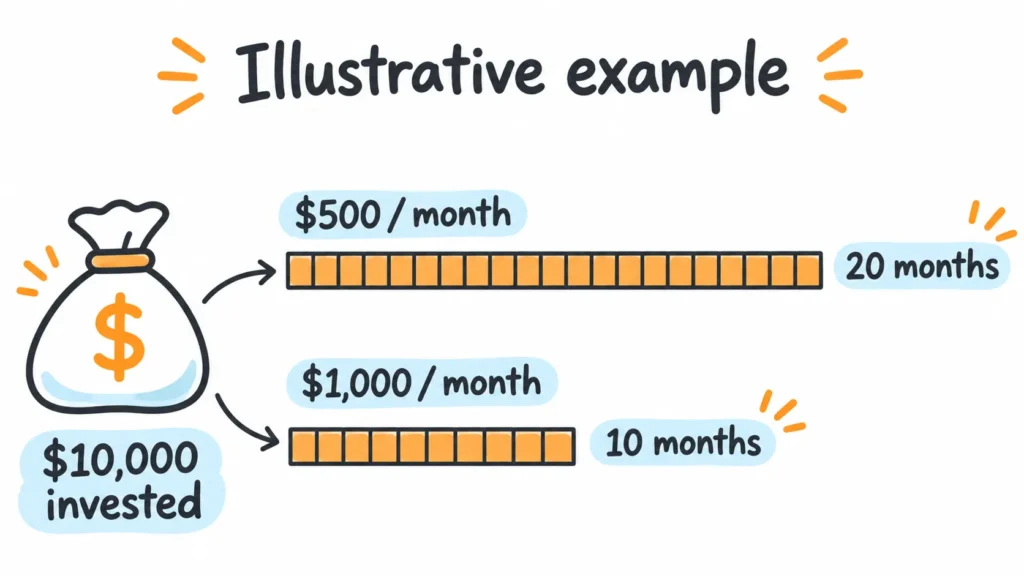
Illustrative example only: with the same $10,000 net investment, $500 of added net cash flow per month gives a 20-month payback. At $1,000 per month, payback drops to 10 months. These figures aren’t a quote or customer result for any brand; they show how sensitive payback is to real order volume.
If you already sell UV DTF decals, measure the gain from printing in-house versus buying finished transfers. Use the added revenue or savings minus new costs, not total sales or gross margin.
When orders are irregular or you can’t yet cover routine maintenance, buying finished transfers while you prove demand may be the better step. There’s no single daily-volume line that fits every shop.
Bottom line: controlled costs and orders you can actually fill tell you more than a “pays for itself in X months” claim. Use the method with your own numbers.
FAQ
No. Some printers laminate A and B film inside the machine, such as the Procolored VF13 Pro and the Xinflying XF-600-3I32U1. Other routes, such as the eufyMake E1, use a separate laminating add-on. Check the exact model and bundle, and don’t count lamination twice.
Don’t treat a garment DTF printer as a UV DTF solution. UV DTF needs UV-curable ink, UV curing, the matching A/B film, and a workflow the manufacturer supports. Swapping film alone doesn’t make a garment DTF printer compatible.
The purchase price alone can’t tell you. Running cost depends on materials, cleaning and maintenance, rejects, labor, and what each delivered transfer needs. A low price doesn’t mean poor reliability, and a high price doesn’t guarantee lower running costs.
It depends on the manufacturer, the order, and the part. Xinflying’s standard policy is a 12-month limited hardware warranty from the shipping date, unless the written order states otherwise. It generally excludes printheads after successful installation and testing, consumables such as ink and film, and wear parts such as dampers, filters, wipers, belts, and lamps. See the full politique de garantie et de service après-vente.
US$2,500 is the starting price for the UV DTF line. A final quote has to match the exact model, laminating setup, software, starter supplies, and delivery terms. To get a quote you can compare, send your typical design size, usual order quantity, whether you sell loose transfers or decorated products, the equipment and software you already own, your U.S. delivery address, and your budget.
Get a Quote You Can Actually Compare
Before you request any quote, write down five things: your regular design sizes, typical order quantities, whether you sell loose transfers or decorated products, the equipment and software you already own, and your U.S. delivery location and budget. Send the same brief to every supplier and ask for the configuration, included items, and written delivery responsibilities. Then mark each line with the five statuses above.
If you’re considering a 12-inch or 24-inch-class printer, such as the XF-450S-3 or XF-600-3I32U1, send that brief to Xinflying through our UV DTF printer page. We’ll recommend a configuration for your orders and quote what’s included, so you can enter it straight into the comparison table.
Sources
Package contents and prices for other brands are from manufacturer product pages viewed November 2, 2026. Listed prices, promotions, and availability change; confirm current terms at checkout.