
Substituir o interruptor optoeletrônico
Selecione o modelo da sua impressora
(Padrão: Universal)
Escolha o seu modelo no menu suspenso abaixo.
XINFLYING Replace Optoelectronic Switch
Modelo compatível: Universal
Tutorial em vídeo
Replace the optoelectronic switch in the powder shaker section of a DTF printing system. Record the terminal connections and use the old sensor cable to guide the replacement cable through its existing route.
Applicable model: General. Required items: compatible optoelectronic switch, screwdriver, phone, scissors for the old sensor cable, and tape for a temporary cable pulling joint.
Step 1. Release the Switch and Record the Wiring
1.1 Switch off and unplug the printing system and powder shaker. Open the required access covers.
1.2 Remove the screw securing the optoelectronic switch. Keep the old cable in its route so it can guide the replacement cable (See Figure 1.1, left).
1.3 Trace the sensor cable to the terminal block. Take a clear photo of all its terminal positions before loosening any terminal screws (See Figure 1.1, right).


Step 2. Route the Replacement Cable
2.1 Loosen the corresponding terminal screws and withdraw the old sensor conductors. Open the cable route and release any plug that prevents access, recording its position first (See Figure 2.1, left).
2.2 After identifying and electrically isolating the old sensor cable, cut it near the old switch to make a pulling end. Join that end securely to the new cable with a temporary taped joint (See Figure 2.1, right).

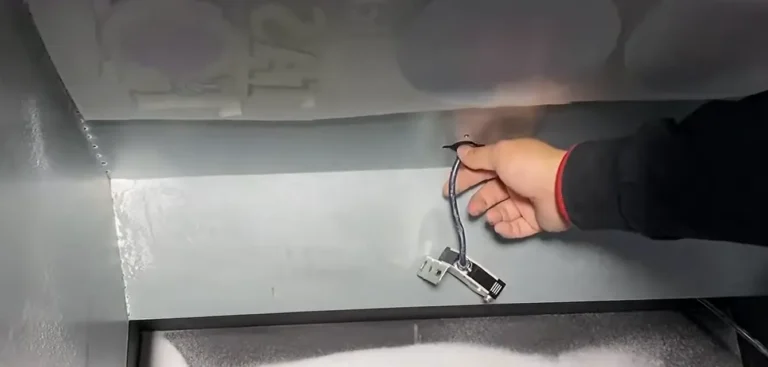
2.3 Pull the old cable gently from the electrical compartment side, drawing the new cable through the same route. Remove the temporary joint once the new cable is in place (See Figure 2.2).

Step 3. Install the Switch and Restore the Connections
3.1 Place the new switch in the original mounting position and tighten its fixing screw. Keep the cable clear of the moving parts (See Figure 3.1, left).
3.2 Insert the new sensor conductors into the terminals shown in the wiring photo. Tighten each terminal screw and check that each conductor is held securely (See Figure 3.1, right).
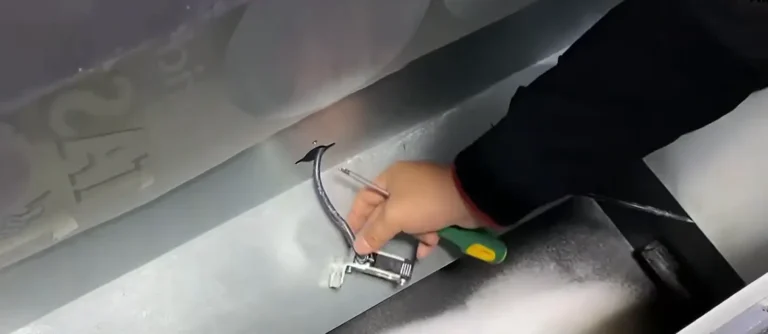

3.3 Restore any other plug released for access, including the powder shaker motor connection if disconnected. Close the cable route and access covers after checking all connections.
Se você for não tenho certeza sobre alguma etapa, entre em contato com o Equipe de Suporte Técnico da XINFLYING para obter ajuda.
© 2026 Equipe Técnica da XINFLYING. Todos os direitos reservados.
Não reproduza nem modifique este documento sem autorização.
Para obter suporte, entre em contato com: [email protected] | www.xin-flying.com