
Sustituir el termostato del dosificador de polvo
Selecciona el modelo de tu impresora
(Por defecto: Universal)
Elige tu modelo en el menú desplegable que aparece a continuación.
Termostato de recambio para el agitador de polvos XINFLYING
Modelo compatible: Universal
Tutorial en vídeo
Replace the powder shaker temperature controller and restore its original terminal wiring. Record the terminal positions before disconnecting the wires.
Applicable model: General. Required items: compatible temperature controller, screwdriver, and phone for recording connections.
Paso 1. Desconecta y suelta el controlador
1.1 Switch off and unplug the powder shaker. Access the rear of the temperature controller and photograph every terminal connection before removal.
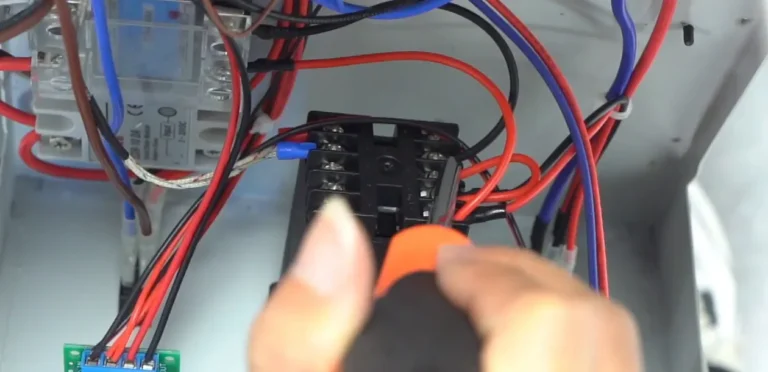
1.2 Loosen the controller terminal screws and disconnect its wires. Keep the wire positions identified for reinstallation (See Figure 1.1, left).
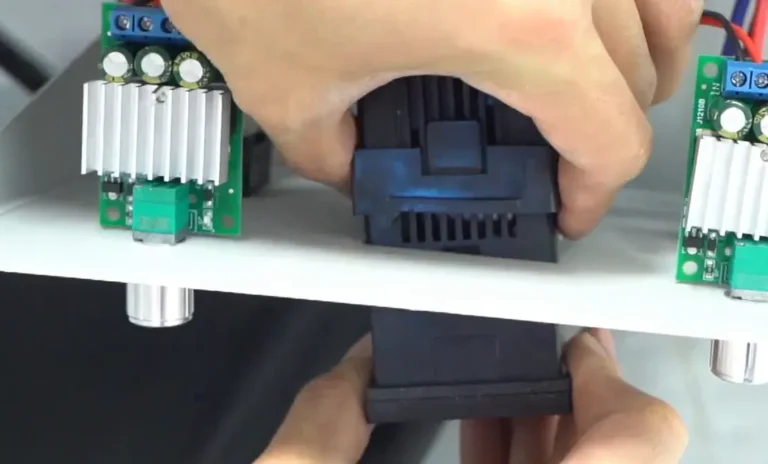
1.3 Press the retaining clips at the upper and lower edges of the controller, then slide the old controller out of the panel opening (See Figure 1.1, right).
Step 2. Fit the Replacement and Restore the Wiring
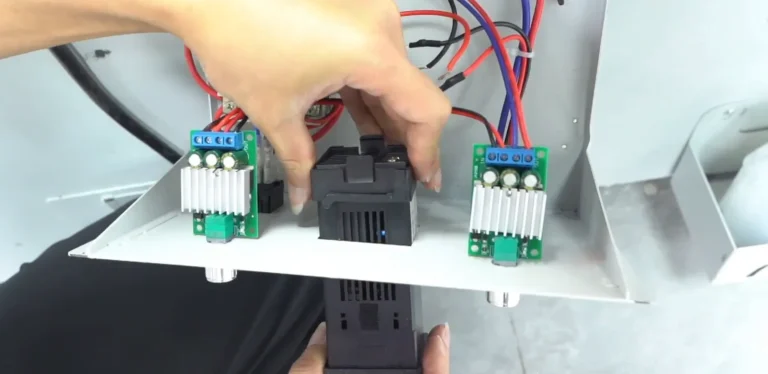
2.1 Insert the compatible replacement controller into the original panel opening and engage its retaining clips so it is securely mounted (See Figure 2.1, left).
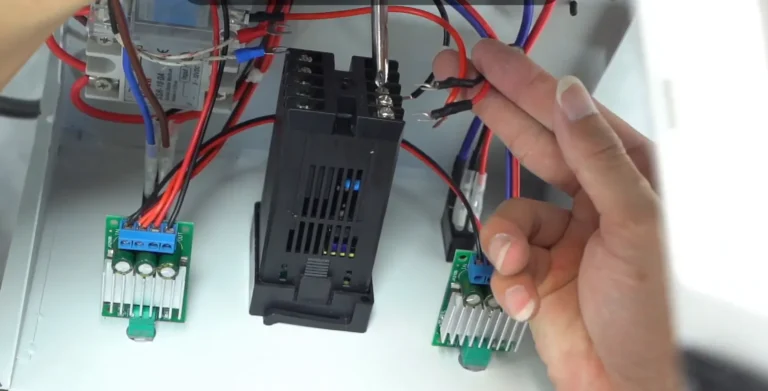
2.2 Reconnect each wire to its original corresponding terminal using the recorded photograph. Tighten the terminal screws and check that the wires are secure (See Figure 2.1, right).
2.3 Refit any service covers opened for access before reconnecting the powder shaker power supply.
Si eres No estoy seguro de algún paso, ponte en contacto con el Equipo de asistencia técnica de XINFLYING para recibir ayuda.
© 2026 Equipo técnico de XINFLYING. Todos los derechos reservados.
No se permite reproducir ni modificar este documento sin autorización.
Si necesitas ayuda, ponte en contacto con: [email protected] | www.xin-flying.com